

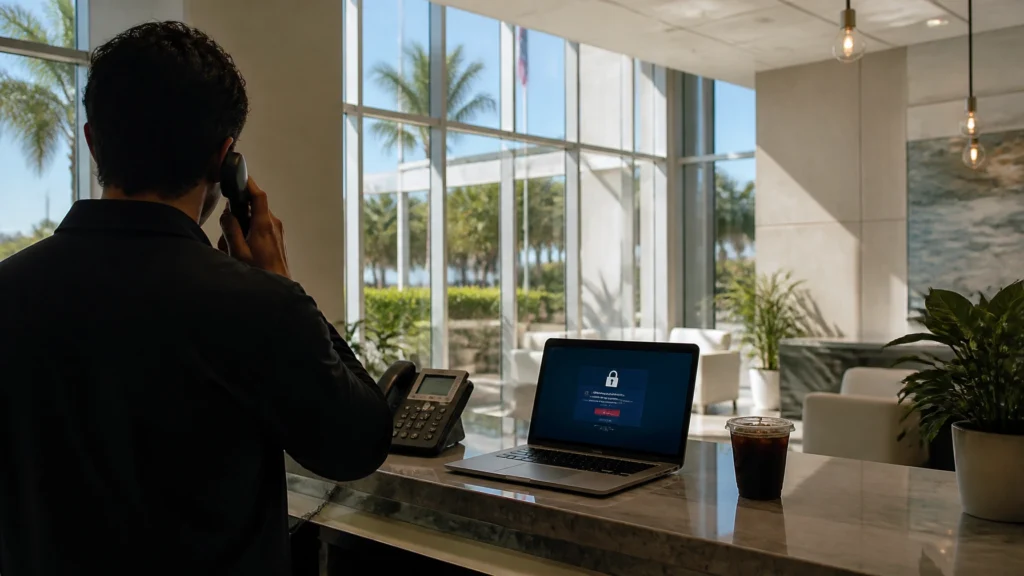
Tracer knew something was wrong when the cold brew machine at FindASpy headquarters refused to accept his payment, his office phone rang twice, and the lobby tablet displayed a weather alert for rain that had already ended.
“Excellent,” he said. “The building is now protected by caffeine denial, inaccurate meteorology, and one suspicious phone call.”
The call was from Mark, a small-business owner in Palm Bay. His accountant had spotted a login to the company’s business-banking account at 2:00 in the morning.
Mark had not been working.
The day before, he had visited a website and encountered a familiar-looking box:
Verify you are human.
The page told him to press Windows + R, paste a verification command, and press Enter.
That was the moment the scam began.
A CAPTCHA is a security check that asks you to prove you are a person rather than an automated program. You may be asked to click a box, type distorted letters, or select pictures of traffic lights.
A legitimate CAPTCHA stays inside the webpage.
It does not ask you to:
The current scam is part of a social-engineering technique known as ClickFix. Social engineering means manipulating a person into performing an action that benefits an attacker.
The fake page may imitate Google, Cloudflare, a file-sharing service, a QR-code generator, or another trusted website. When you click the fake verification box, the page places malicious text in your clipboard. The clipboard is the temporary storage area used when you copy something.
The page then tells you to press Win + R, paste the text, and run it.
The visible instructions may call the text a “verification ID.” In reality, it is often a PowerShell command. PowerShell is a legitimate Windows tool used by administrators to automate tasks. In this scam, it becomes the delivery mechanism for malware.
Once the command runs, it may download an information stealer, remote-access tool, or additional malicious software.
An information stealer is malware designed to collect passwords, browser cookies, banking details, saved payment information, and other private data. A remote-access tool gives someone outside your organization the ability to interact with a computer.
That is why Mark’s 2 AM banking login mattered.

The scam succeeds because it feels official.
The page uses familiar colors, logos, checkboxes, progress bars, and security language. It may display a fake Cloudflare-style page or a warning that access will be blocked unless you complete verification.
People have learned to click through security prompts quickly. That habit is useful when a real website asks you to confirm a login. It becomes dangerous when an attacker inserts a fake prompt into a compromised website or malicious advertisement.
The scam also creates pressure:
The more urgent the screen appears, the less time people spend asking a basic question:
Why would a website need access to my computer’s command tools to prove I am human?
Florida deserves particular attention. The Florida Department of Agriculture and Consumer Services raised awareness about fake CAPTCHA scams during the summer of 2026. That guidance warned consumers that fraudulent verification pages may ask them to run commands, download software, adjust settings, or paste unfamiliar text.
Federal guidance has also been direct. The Federal Trade Commission’s CAPTCHA scam alert says real CAPTCHAs do not require users to run commands.
National cyber security centres have issued the same warning about compromised websites serving fake CAPTCHA and ClickFix pages. The Swiss NCSC ClickFix focus page and Reseller News coverage of the September 1 NCSC ClickFix warning both reinforce the same point: if a verification page demands command-line activity, treat it as malicious.
This is not only a simple fake popup anymore.
On August 31, 2026, The Register reported on a TerminalFix campaign. Instead of relying only on the Windows Run dialog, the newer variant directs victims toward Windows Terminal or PowerShell.
That change matters because those tools can run longer, more complex scripts.
The campaign also hid malicious code inside PNG image files. This technique is called steganography, which means concealing data inside an ordinary-looking file such as an image. The image may open normally while secretly carrying another payload.
The final stage reportedly installed a custom reverse tunnel. A reverse tunnel is a hidden connection that allows an attacker to communicate with a compromised computer from the outside. In a business environment, that access may help an attacker look for shared drives, servers, backups, email systems, or other connected devices.
Malwarebytes documented multiple fake Google and Cloudflare verification campaigns. The campaigns delivered different malware families, including information stealers, loaders, and remote-access tools.
The branding changes. The basic trick remains:
Make the victim run the malware voluntarily.
Tracer wrote Mark’s key lesson on a whiteboard:
A legitimate CAPTCHA never asks you to open Run, PowerShell, Command Prompt, or Terminal.
That is the recognition moment.
If a page says:
Stop.
Do not paste the text into Notepad “just to see what it is” on the same device if the page has already manipulated your clipboard. Close the tab. If you need to investigate, use a different trusted device or ask a qualified professional.
The same rule applies on a Mac. A verification page should not ask you to open Terminal and run a command.
Do not paste commands from a webpage into:
This is especially important for business owners, bookkeepers, older adults, and working families who may be handling banking or payroll while distracted.
A browser verification check should require browser activity. It should not require operating-system commands.
Use Tracer’s Unpredictable Human Challenge.
When a page, caller, or support representative asks you to take a risky technical action, interrupt the script with an unexpected question:
Scammers depend on predictable behavior. They want you to follow instructions in the order displayed. A pause breaks the rhythm.
Tracer also recommends the Rover Word for families and small teams. Choose a private phrase that is not written beside the computer. If someone claims to be a trusted helper and pressures you to run a command, ask for the Rover Word. If they cannot provide it, stop the conversation and verify through a known phone number.
This is not a replacement for technical security. It is a human safety brake.
If you pressed Win + R, pasted a command, and pressed Enter, treat the computer as potentially compromised.
Act in this order:
Do not wait for obvious symptoms. Malware may run quietly.
A home computer and a business network require different levels of response.
If the device connects to company email, shared files, accounting software, point-of-sale systems, or other computers, involve your IT provider or incident-response professional immediately.
FindASpy provides spyware and breach-removal services for phones, computers, and networks. Our Guardian Angel Intelligence service helps identify suspicious activity and digital risks.
Tracer’s OBD Port Witness field hack offers one more useful principle: inspect the source of access, not only the visible symptom. When checking a vehicle, a technician examines the diagnostic port and surrounding evidence rather than assuming the dashboard tells the whole story. Digital incidents require the same discipline. A clean-looking browser does not prove the computer is clean.
Do not trust a webpage merely because it displays a familiar logo, a padlock, or an official-looking security message. Scammers can copy designs. Compromised websites can display malicious content. A secure connection does not make the person controlling the page trustworthy.
Navigate to the company’s official website yourself. Call your bank using the number on your card or statement. Contact your IT provider through a saved number. Ask a trusted person to look at the screen before you act.
The safest verification is independent verification.
Here is the single most important takeaway in plain language:
A real verification check never asks you to run a command.
If a page tells you to open Run, PowerShell, or Terminal, that is not the security check. That is the scam’s delivery system.
Tracer’s challenge is simple: ask one person in your home or workplace this question:
“What should a real CAPTCHA never ask you to do?”
The correct answer is: open a command tool and paste a command.
The next cousin of this scam may not begin with a CAPTCHA.
It may arrive as a browser notification claiming that your computer, account, or security software needs immediate attention. The notification may look harmless. The click may lead to the same command-running trap.
We will examine that browser-notification version next.
Disclaimer: The stories Tracer shares are based on real scams and security threats actively targeting our community. While the names and specific scenarios are crafted to protect identities, these tactics are a matter of when, not if. Tracer brings these to you fresh — so you see it here before it shows up at your door.
Have you or someone you know seen a “Verify you are human” page that asked for more than clicking a box? Did it appear on a business website, a search result, an advertisement, or a message link?
What State are you from? Are you more concerned about fake CAPTCHAs on computers, phones, or workplace networks? Do you use multifactor authentication for your email and banking accounts?
Tracer reads all posts.
For personal guidance, contact Patricia at 321-342-0040 or (352) 241-7492.
If you have found a hidden camera, tracker, listening device, or other suspicious gadget, share it with the FindASpy community by clicking here.
Sterling Reed, known to FindASpy readers as “Tracer,” is a cybersecurity engineer, digital investigator, consumer cybersecurity contributor, and founder of FindASpy.com in Clermont, Florida.
Learn more about Sterling Reed, his professional background, credentials, and published cybersecurity work →
Your vote helps determine FindASpy Insider’s Readers’ Top Picks. One rating is allowed per reader for each article.
Today’s Coffee Conversation
Tracer shares cybersecurity stories, scam alerts, privacy tips, and investigative insights. Pull up a chair, share your experience, and help shape tomorrow’s discussion.