

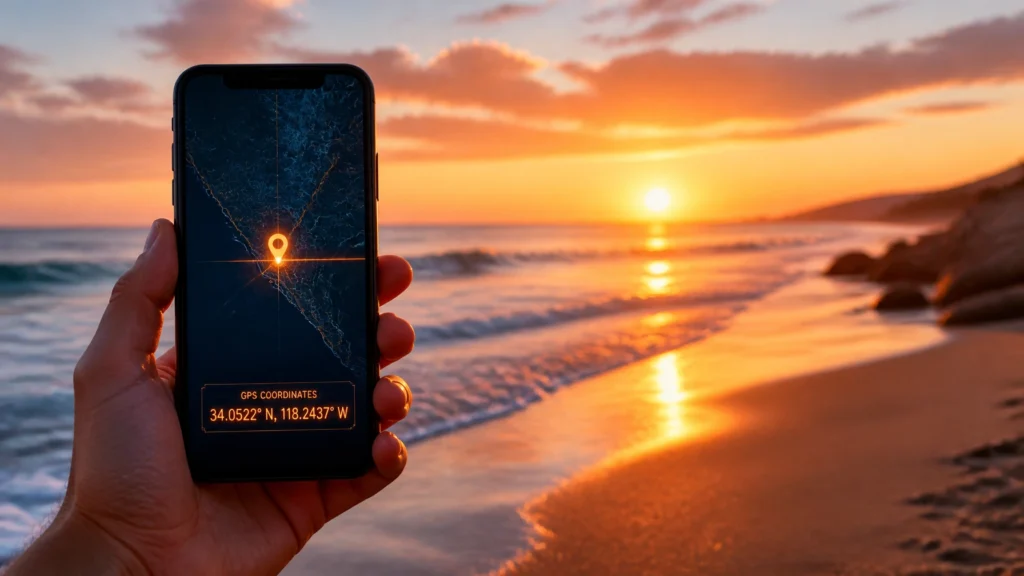
It was a quiet Tuesday morning in the Florida HQ hobby lounge. I was leaning back in my leather chair, and every time I shifted, it answered with the same persistent, high-pitched squeak. I tried to fix it with a drop of oil yesterday, but it’s clearly holding a grudge. The rhythmic dit-dit-dah-dit of my vintage Morse code telegraph key filled the room. A message was coming through from a long-time contact in the privacy community: a sequence of coordinates followed by a single word: EXPOSED.
I pulled up the link sent along with the signal. It was a beautiful, high-resolution photo of a sunset over the Gulf. To most people, it was just a stunning vacation shot. To me, it was a digital map leading straight to someone’s front door.
Are you being tracked? You might be, and you’re the one providing the map.
Welcome to the Master’s Guide to Photo Metadata. Today, we’re peeling back the layers of your digital images to show you how a single "harmless" sunset photo can compromise your privacy, your home, and your safety.
Every time you snap a photo with your smartphone or digital camera, you aren't just capturing light and color. You are creating an EXIF (Exchangeable Image File Format) file. This is a hidden packet of metadata automatically attached to your image.
While EXIF data is great for professional photographers to track shutter speeds and ISO settings, it contains something far more sensitive for the average user: GPS Geotags.

If your location services are enabled, your photo saves the exact latitude and longitude of where you were standing. This metadata can be accurate within meters. When you post that photo to a public forum, send it via email, or upload it to a marketplace, you are often handing over your physical location to anyone who knows how to look.
You might think, "So what if they know I was at the beach?" The danger isn't just about a single location; it’s about the patterns and the precision.
If you take a photo of a sunset from your balcony or a sunrise from your backyard, the GPS coordinates lead directly to your residence. For someone concerned about stalking or domestic situations, this is a catastrophic privacy leak.
By looking at the timestamps and locations of multiple photos, a malicious actor can build a "life map." They can see when you leave for work, which park you frequent on Tuesdays, and exactly how long you stay at your favorite coffee shop.
Criminals often scan marketplaces for high-value items (like jewelry or electronics). If the seller posts a photo of the item taken inside their home without stripping the EXIF data, the thief doesn't just see the product: they see the exact address where it’s stored.
At Findaspy.com, we believe protection starts with awareness. Being "one step ahead" means knowing how to clean your digital trail before it goes live. Here is the definitive guide to removing location data from your devices.
Apple has made it easier to manage privacy, but you have to be intentional.
Android interfaces vary, but the core logic remains the same.
If you’ve transferred photos to your computer, you can still scrub them.

Metadata is just one way people can track you. In our investigative work, we often find that digital breadcrumbs are combined with physical surveillance. If you suspect you are being monitored, stripping EXIF data is a great first step, but it might not be the only thing you need.
Our team at FindASpy.com specializes in spyware detection and removal and professional RF and device sweeps. Sometimes, the "tracker" isn't in your photo: it's hidden in your car or your office.
If you feel like someone is always one step behind you, it’s time to flip the script. We offer a range of hidden cameras and GPS tracking detection services to help you reclaim your space and your peace of mind.
I told the Intern he doesn't have to delete his memories: he just needs to lock the digital door.

In our office, we keep a wall of funny family photos: no logos, no corporate branding: just real moments. We protect these memories because they belong to us, not to the data miners or the bad actors. That’s the environment we want to create for you: a trusted, secure space where you can share your life without sharing your safety.
Are you concerned that your privacy has already been breached? Whether you need a vehicle scan or a digital forensic consultation, we are here to support you.
Explore our Privacy Protection Services & Tools Today.
I read every single comment you leave. Our community is our greatest asset in staying ahead of those who wish to compromise our privacy. We love hearing from you. If your comment is chosen as "Tracer's Pick," you might just receive a free spyware device from our team. I read every single post, so let's talk.
Have you ever checked the metadata on your own photos? Were you surprised by what you found?
Let us know in the comments below! Also, tell us which State you are writing from: we love seeing how far the Findaspy network reaches.
Stay vigilant, stay safe, and stay one step ahead.
( Tracer)
If you have found a hidden or suspicious gadget and want to share it with the community, upload it by clicking here.
Your vote helps determine FindASpy Insider’s Readers’ Top Picks. One rating is allowed per reader for each article.
Today’s Coffee Conversation
Tracer shares cybersecurity stories, scam alerts, privacy tips, and investigative insights. Pull up a chair, share your experience, and help shape tomorrow’s discussion.