

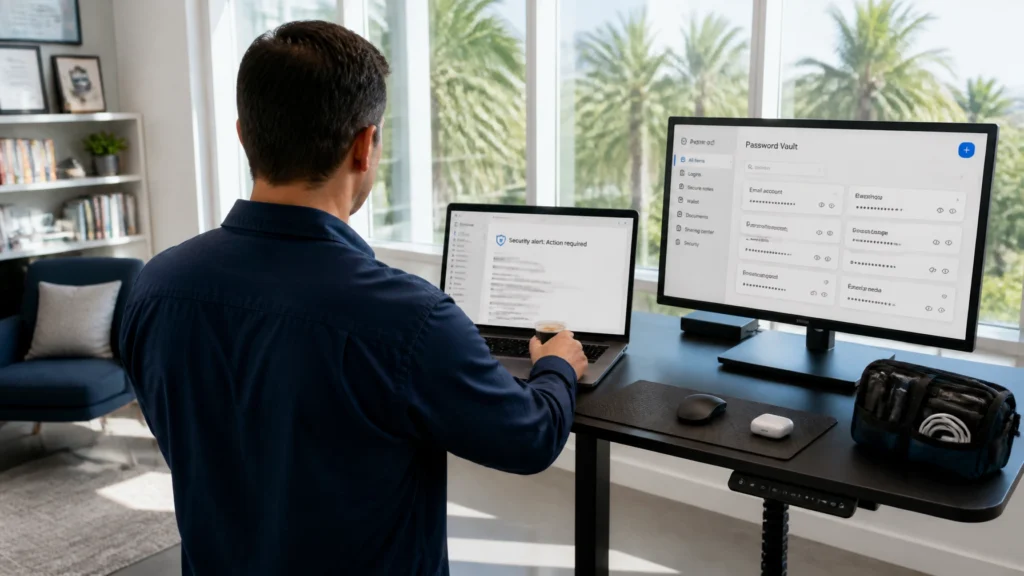
The new standing desk at FindASpy headquarters had one job: stay standing.
Instead, it slowly lowered itself every time Tracer looked away.
Tracer set down his espresso, adjusted the desk back to full height, and turned toward the window. When he looked back, the desk had dropped another six inches. His laptop was now sitting at what he called “the perfect height for a very determined toddler.”
Then his inbox chimed.
The message subject read:
Action Required: Review Updated Password Security Policies
The email carried familiar security branding. It warned that account policies had changed and demanded immediate review. A large button promised access to the updated terms through an electronic-signature document.
Tracer stopped reaching for the desk controls.
“Everyone watching this,” he said, “stop before you click.”
The standing desk was annoying. The email was dangerous.
In July 2026, criminals targeted LastPass and Bitwarden users with convincing security notices and fake electronic-signature pages.
The messages described updated policies, compliance requirements, security changes, or account administration notices. The language sounded professional. The deadline sounded official. The branding looked familiar.
The links were not legitimate.
Reported examples included domains such as:
lastpassnewsletter[.]comlastpasscompliance[.]combitwardennewsletter[.]combitwardencompliance[.]comThose domains were not official LastPass or Bitwarden properties. The campaign also misused DocuSign-style branding to make the request look like a document requiring review and signature.
LastPass reported that its own systems were not breached. DocuSign also warned that the messages did not originate from DocuSign. This was a social-engineering attack against users.
You can review the official information from LastPass, DocuSign’s fraud alert, and Bitwarden’s phishing guidance.
A password manager protects many accounts behind one primary credential. That credential is often called a master password.
That design is powerful. It also makes the master password a high-value target.
The phishing sequence is straightforward:
A fake security alert arrives.
The message says your password manager has new security policies, a compliance requirement, or a serious account issue.
The message creates urgency.
It gives you a deadline. It says access is at risk. It tells you to review or accept terms immediately.
The link opens a fake document page.
The page resembles DocuSign or another trusted service. It displays a document, signature box, security notice, or “review” button.
The page demands a login.
The fake page asks for your password-manager credentials, including the master password. No legitimate password manager ever asks for your master password through an email link, reply, or surprise document page.
The page pushes a fraudulent update.
Instead of stealing the password directly, criminals present a supposed desktop application, document viewer, browser extension, or security update. The file is malicious software disguised as protection.
The goal is not one shopping password.
The goal is the vault.

This scam is not about intelligence. It is about timing, trust, and pressure.
Seniors and retirees often manage years of accounts. Their password vault can contain banking, Medicare-related services, insurance, tax preparation, travel, medical portals, email, and family accounts.
Working families face a different version of the same problem. Their vault can contain payroll access, school portals, utilities, mortgages, business systems, cloud storage, and shared household accounts.
The criminal message arrives at a busy moment:
The familiar security brand lowers suspicion. The deadline reduces careful thinking. The request looks like routine maintenance.
A password manager is supposed to reduce the number of passwords you must remember. That convenience also means one stolen master password exposes the central map to your digital life.
Criminals can use that access to sign into valuable accounts, change recovery details, search stored notes, and target the people connected to you.
Tracer looked at four details before touching the link.
He had not requested a policy document. He was not waiting for a compliance packet. The message created the emergency instead of responding to one.
The display name looked familiar. The actual domain did not.
That distinction matters. Email programs often show a friendly sender name first. Open the full sender details. Read the domain character by character.
A name that says “LastPass Security” is not proof of anything. The domain determines where the message came from.
The message pointed toward a “compliance” domain rather than the official password-manager website. That is a major warning sign.
A legitimate-looking lock icon in the browser does not prove that the website is genuine. It only indicates that the connection is encrypted. Criminal websites use encrypted connections too.
A DocuSign-style page does not need your password-manager master password to let you review a document.
A security notice does not require you to install an unexpected program from an email.
Those demands exposed the trap.
Never enter your master password on a page reached through an email, text message, advertisement, or unexpected document request.
Open the official password-manager app yourself. You can also type the known official website address directly into the browser.
Do not copy the address from the suspicious message.
Create a bookmark for the official vault website after verifying the address independently. Use the official mobile or desktop application downloaded from the legitimate provider or an authorized app store.
A saved bookmark removes one major decision from a stressful moment.
Turn on two-factor authentication for the password manager and for the most important accounts stored inside the vault.
Use an authenticator app or hardware security key when practical. Store recovery codes somewhere safe and separate from the device you use every day.
Two-factor authentication is not permission to enter your master password into a fake page. It is an additional layer after you reach the real service.
Before clicking, check:
Do not download an update from an email. Open the official application or visit the provider’s official website by typing the address yourself.
If you entered your master password:
If you installed a suspicious update, disconnect the affected device from the network when practical. Do not continue signing into accounts from it. Run a full security scan and seek qualified technical assistance, especially when the device holds business, financial, medical, or legal information.
FindASpy provides cyber consultation and breach-related services. For help understanding a suspected compromise, contact Patricia at 321-342-0040.

A real security issue deserves attention.
It does not deserve blind obedience.
Stop. Close the message. Do not reply. Do not click the link. Do not install the software. Then verify the issue independently through the official app, a bookmarked website, or a trusted support number you locate yourself.
Contact someone you trust before sharing information or installing software. A second set of eyes is not overreacting. It is a protective control.
For broader privacy and security resources, visit FindASpy’s product catalog, learn more about our team, or review our professional security and investigative services.
Tracer occasionally chooses a practical privacy or security item to highlight for members of the FindASpy community. If you are following along, sharing useful safety lessons, and participating responsibly, you are welcome to keep an eye out for future Tracer’s Pick opportunities. No purchase is required to learn how to protect your accounts.
This article is provided for general educational and informational purposes. It is not legal, financial, cybersecurity, or incident-response advice for a specific situation. Password-manager features and recovery procedures differ by provider and account type. Verify instructions through the provider’s official website or support channel.
FindASpy products and services must be used lawfully, with proper authorization, and in compliance with all federal, state, and local laws. Do not access another person’s accounts, devices, communications, or password vault without express permission. If you believe a crime is in progress or you face immediate danger, contact appropriate emergency services or law enforcement.
Have you received a security notice that looked legitimate until you checked the sender or website address?
Which State are you reading from? What is one account you would secure first if you suspected your password vault had been exposed: email, banking, work, medical, or something else?
Tracer reads all posts, and your experience could help another family recognize the warning earlier.
If you found a suspicious device, strange gadget, or security-related object, upload it to share with the community by clicking here. Please do not publish passwords, private documents, account numbers, or identifying information.
Your password vault is valuable because it protects many accounts. That is exactly why your master password deserves exceptional protection. Never surrender it to an urgent message, fake document page, or unexpected update.
Take five minutes today to verify the official login path for your password manager. Open the app, check your two-factor authentication, and confirm that recovery codes are stored safely.
Tracer finds a familiar email attachment that is not a picture, document, or receipt. It is a program wearing a disguise.
Your vote helps determine FindASpy Insider’s Readers’ Top Picks. One rating is allowed per reader for each article.
Today’s Coffee Conversation
Tracer shares cybersecurity stories, scam alerts, privacy tips, and investigative insights. Pull up a chair, share your experience, and help shape tomorrow’s discussion.