

Morning Coffee with Tracer
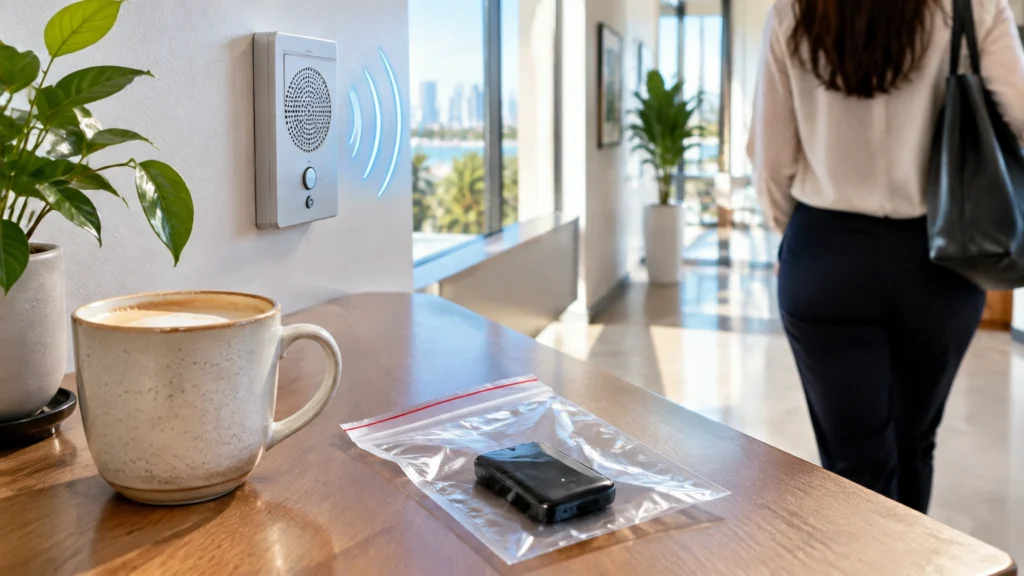
The intercom at FindASpy headquarters has started picking up a distant radio station. Every few minutes, with no one speaking, a faint country song drifts from the hallway speaker like a ghost with a request.
I turned the volume to zero. It did not help.
I have started describing it as “someone else’s morning.”
Then a woman in her forties arrived at our Florida office carrying a sealed plastic bag. Inside was a small black box, roughly the size of a deck of cards, with a magnet on one side. She found it attached beneath her car two days earlier.
She did the right things. She photographed it in place, called the non-emergency police line, and carefully removed it with a plastic scraper. Now she wanted to know how to check everything else in her life.
She became my second client of the morning. The first was apparently the country singer inside our intercom.
This is an educational self-check guide, not proof that you are being monitored. Battery drain, warm devices, unusual account activity, or a strange object may have an innocent explanation. Work methodically, document what you find, and independently verify before acting. This content is guidance only. If you are in immediate danger, if a crime is in progress, or if your safety is at risk, stop reading and call 911.
There are three separate questions:
The first and third questions require a real check.
Work in order: phone, car, home, accounts. Use a notebook. Record what you find, along with the date and time. Seniors and working families are especially vulnerable to confusion because family accounts, shared vehicles, work devices, and helpful relatives often create legitimate access that is difficult to distinguish from unauthorized access.

Your phone is usually the most important place to begin.
Possible stalkerware warning signs include unusually fast battery drain, a phone that stays warm while idle, unexpected background data use, heavier storage use, random restarts, or settings that change back after you correct them.
If you suspect stalkerware, do not factory reset the phone immediately. A reset may destroy evidence and alert the person monitoring you. The Federal Trade Commission’s stalkerware guidance recommends considering safety and evidence preservation first.

Start with the OBD-II port. This is a standardized diagnostic connector usually located beneath the dashboard near the steering column. Mechanics use it to read the vehicle’s computer. A tracking device can also be plugged into it.
Then inspect in daylight with a flashlight:
Magnetic trackers are often battery-powered. Other devices are wired into the vehicle and are harder to locate.
If you find something suspicious, photograph it in place. Record the date, time, and exact location. Do not open, destroy, or throw it away. Contact law enforcement through a non-emergency line and consider having a professional document it. Destroying the device may destroy evidence, and confronting the suspected person may escalate the situation.
Florida Statutes section 934.425 addresses tracking devices and applications. Section 934.03 addresses interception of communications. Exceptions involving vehicle ownership, employment, family relationships, and law enforcement matter. This is not legal advice; verify current law with a licensed attorney.
Review signed-in devices and active sessions for Google, Apple, Microsoft, email, and social media accounts. Remove anything unfamiliar.
Change your email password first. Email is often the master key because it controls password resets for other accounts. Then change the remaining passwords and enable two-factor authentication, which requires a second proof of identity in addition to a password.
Look for:
An email forwarding rule quietly sends copies of your messages to another address. That is how monitoring survives a password change. If access returns after you change a password, check forwarding rules and recovery contacts first.
Also review Google My Activity. It displays location history, searches, and app activity in one place. It is a legitimate privacy tool, even if the information feels alarming.
A physical sweep is slow and methodical. Begin with the rooms where you are most private. Examine objects facing the bed, desk, sofa, or front door.
Common hiding places include smoke detectors, alarm clocks, air fresheners, phone chargers, power strips, picture frames, teddy bears, tissue boxes, lamps, and anything newly placed or newly gifted.
Look for a pinhole lens, tiny shiny dot, unexplained LED, unusual warmth, a mismatched seam, a small hole, or an object with no clear purpose.
Some devices record to a memory card and transmit nothing. A radio detector will not find a device that never broadcasts. That is why physical, optical, and thermal inspection all matter. Photograph and document anything suspicious before touching it.
The Rover Word: Agree with one trusted person on a normal word that means, “I need help now, and I cannot say so plainly.” It should fit naturally into an ordinary text, not be a person’s name, and not be a word your household uses often. Agree out loud on exactly what the trusted person will do, and test it once. This is a safety tool, not a gadget.
The OBD Port Witness: The OBD-II port is not only a hiding place. A connected device may read mileage, trip information, and diagnostic history. Its model, serial number, and stored data may help a professional document what happened. Preserve it rather than destroying it.
The Unpredictable Human Challenge: People who follow patterns depend on the same route, time, gym, coffee shop, or parking spot. Change one routine each week when it is safe. Never put yourself in danger or confront anyone. A pattern change may reveal behavior that a device check cannot.
An RF detector listens for radio-frequency signals used by wireless cameras, microphones, and transmitters. Cheap detectors may react to your Wi-Fi router, phone, smart television, microwave, or garage-door opener.
They also miss devices that record locally, sleep between transmissions, transmit in short bursts, or use frequencies difficult to separate from your own network. No gadget guarantees that a room is clean.
A professional sweep adds a spectrum analyzer, which displays the wider radio environment; a thermal camera, which can spot heat from a battery or electronics; physical inspection; lens inspection; and trained judgment.
For readers who want a starting tool, the PRO-10G Cell Phone and GPS Bug Detector is currently listed at $349. It covers 10 MHz to 10 GHz and includes a signal-strength display.

Other options include the VS80 Professional Bug Hunter at $499, SpyFinder ProScan at $347.50, and the V9-Pro Directional RF Antenna at $139. FindASpy also carries the iProtect Multi-Channel Wireless Detector and Delta S Countersurveillance Sweeping System. Prices, specifications, and stock change.
Browse the counter-surveillance category or full catalog. A tool does not replace judgment or a professional.
For higher-stakes concerns, review HaloSweep hidden-device detection, spyware and breach removal, cyber consultation, or FindASpy’s free security tools.
If you are being stalked, threatened, involved in a custody dispute, or afraid of a partner or former partner, safety comes before investigation.
Do not confront the suspected person. Do not destroy evidence. Do not post findings publicly. Use a safe device to contact a trusted person, law enforcement, a domestic-violence advocate, an attorney, or a qualified professional.
A person monitoring you may know when a device stops reporting. Plan the timing of a sweep and legal steps with support rather than improvising.
A self-sweep is not about making yourself feel better. It is about replacing uncertainty with documented knowledge. Awareness, knowledge, and protection work together.
Before your next cup of coffee:
Community Disclaimer: Do not share passwords, addresses, private evidence, or details that could place you or someone else at risk. Keep sensitive findings private and use a safe device when seeking help.
What State are you from? Have you ever completed a self-sweep? What would you check first: your phone, car, home, or accounts? Tracer reads all posts. You can also upload your own hidden gadget to share with the community by clicking here.
Tracer’s Pick is the PRO-10G Cell Phone and GPS Bug Detector. If a Tracer’s Pick giveaway is announced, you can enter in through the posted giveaway instructions. Remember: the device supports a sweep, but it does not replace careful judgment.
Next time, Tracer examines how ordinary smart-home devices, shared Wi-Fi networks, and forgotten account permissions create privacy gaps without anyone placing a tracker under your car.
Tracer returned the bagged device to the client with a note on the evidence log. Then he gave her the sentence that matters most:
You cannot control what someone else does, but you can make yourself a much harder target.
The intercom played four more seconds of a song nobody asked for. Tracer finally unplugged it.
Educational content, not legal, investigative, or safety advice. Surveillance, tracking, recording, and monitoring laws vary by jurisdiction and by the facts, including vehicle ownership and employment. Florida readers should verify current Florida law, including sections 934.425 and 934.03, with a licensed Florida attorney. Never remove, destroy, or tamper with evidence before documenting it and, where appropriate, notifying law enforcement. No detector or sweep guarantees an environment is free of monitoring devices. Product prices, stock, and specifications change; the product page is the source to check.
Morning Coffee with Tracer
Morning Coffee with Tracer is written for people who want practical privacy guidance without panic. FindASpy.com helps individuals, families, professionals, businesses, attorneys, and investigators protect their devices, vehicles, homes, and trusted spaces.
Your vote helps determine FindASpy Insider’s Readers’ Top Picks. One rating is allowed per reader for each article.
Today’s Coffee Conversation
Tracer shares cybersecurity stories, scam alerts, privacy tips, and investigative insights. Pull up a chair, share your experience, and help shape tomorrow’s discussion.