

Tracer’s morning at FindASpy headquarters started with a medical emergency involving a coffee machine.
The machine flashed “LAB RESULTS READY” across its tiny display. Then it printed a receipt showing three alarming numbers: “Caffeine,” “Pressure,” and “Refill Immediately.”
Tracer stared at the paper. His French press sat empty beside it.
“Either the coffee machine has become a doctor,” he said, “or headquarters has finally developed a patient portal.”
The printer had not diagnosed anything. A staff member had accidentally selected the wrong office device from a phone. But the joke ended when Tracer saw a real text message on the same phone:
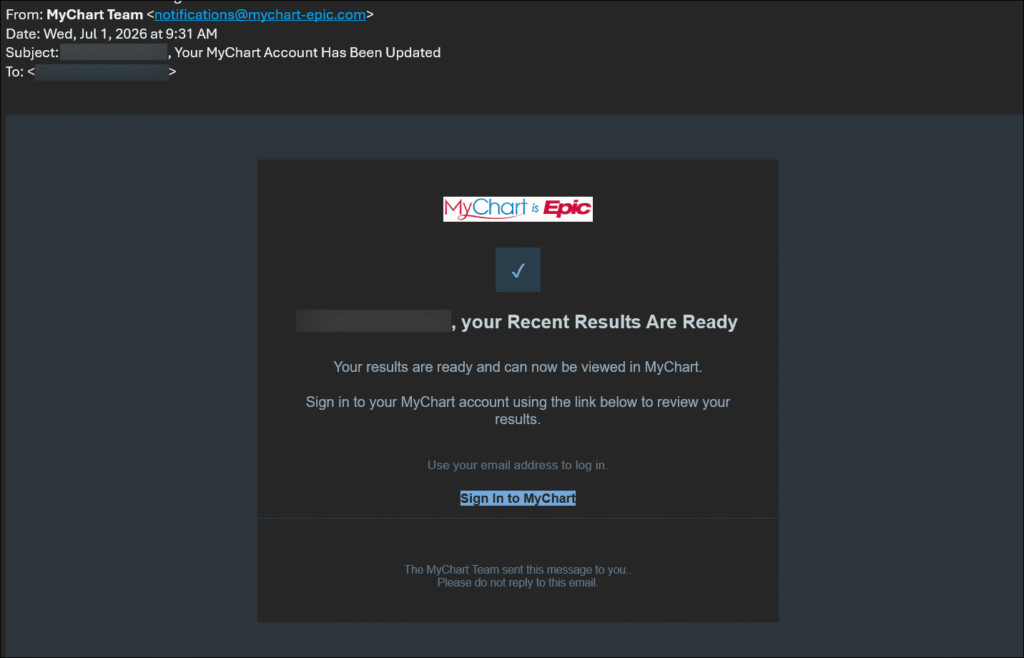
Your MyChart lab results are ready. Claim your free Medicare wellness kit today.
The message used familiar hospital language. It included a MyChart-style logo. It promised access to medical results and a free senior health package.
The message was not from the patient’s hospital.
The link led to a fraudulent website designed to steal patient-portal credentials.
In August 2026, scammers launched a widespread phishing campaign using the MyChart name and branding. A phishing message is a fraudulent email, text, or phone call designed to trick you into giving away information or installing harmful software.
The campaign used several lures:
Health systems across the country issued warnings. The Florida angle is especially important. Patients connected with Tampa General Hospital, Tallahassee Memorial Healthcare, and Lee Health were among the communities urged to watch for fake MyChart messages.
The scammers used emails, text messages, phone calls, and look-alike websites. Some messages directed people to a fake login page. Others displayed fabricated medical results and instructed Windows users to download a file or bypass a security warning.
Epic Systems confirmed that this was brand impersonation, not a security breach of the MyChart platform. The criminals were pretending to be MyChart. They did not need to break into the real patient portal if they could convince patients to hand over their usernames and passwords.
The attack is simple, direct, and effective.
First, the victim receives a message that appears to come from MyChart or a familiar healthcare organization. The message creates a reason to act immediately. It says new lab results are available or that a valuable wellness kit is waiting.
Next, the victim clicks the link.
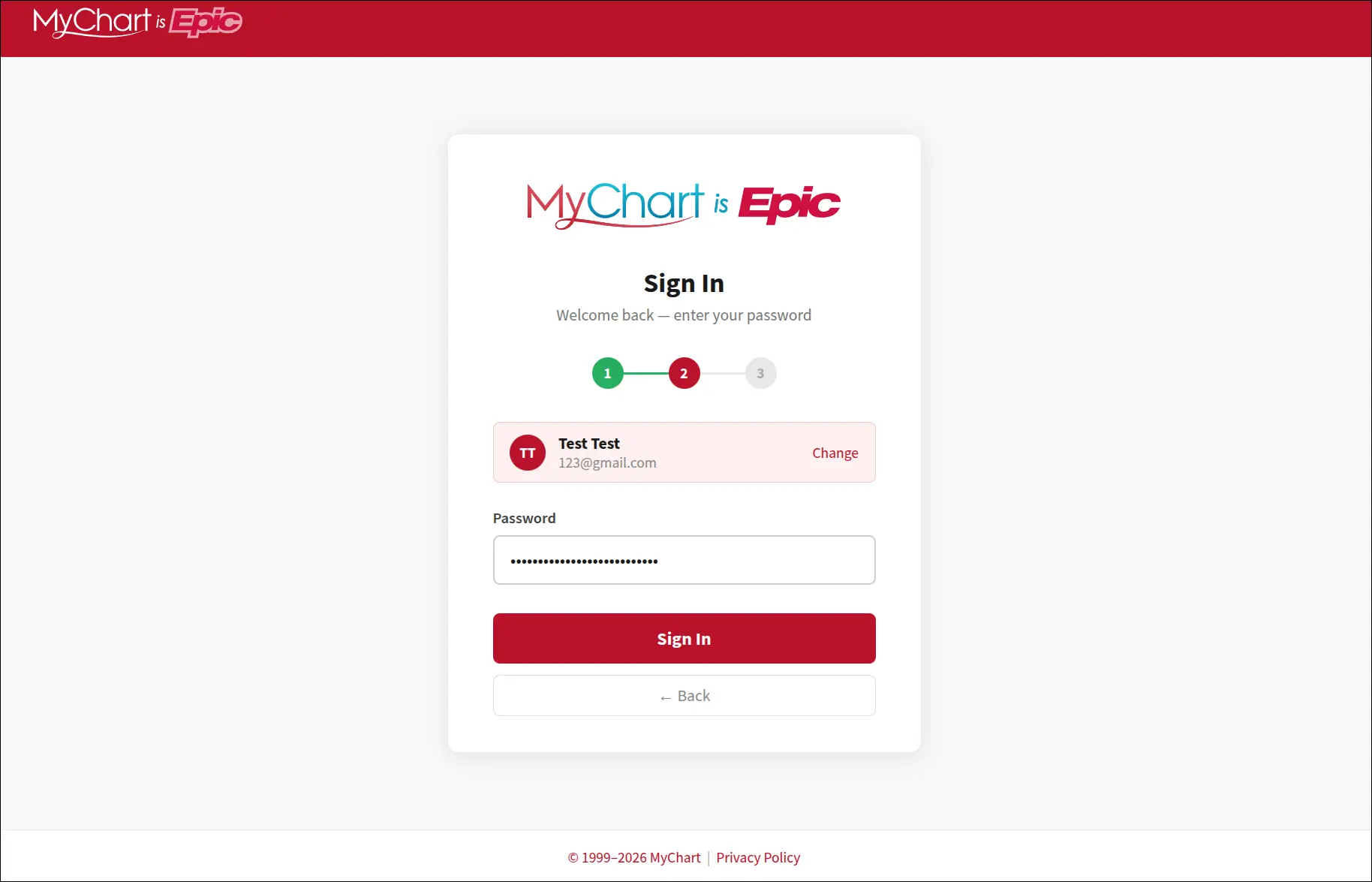
The link opens a website that copies the appearance of MyChart. The colors, logos, sign-in boxes, and medical language look convincing. The page asks for an email address, username, and password.
When the victim enters those details, the scammers receive them.
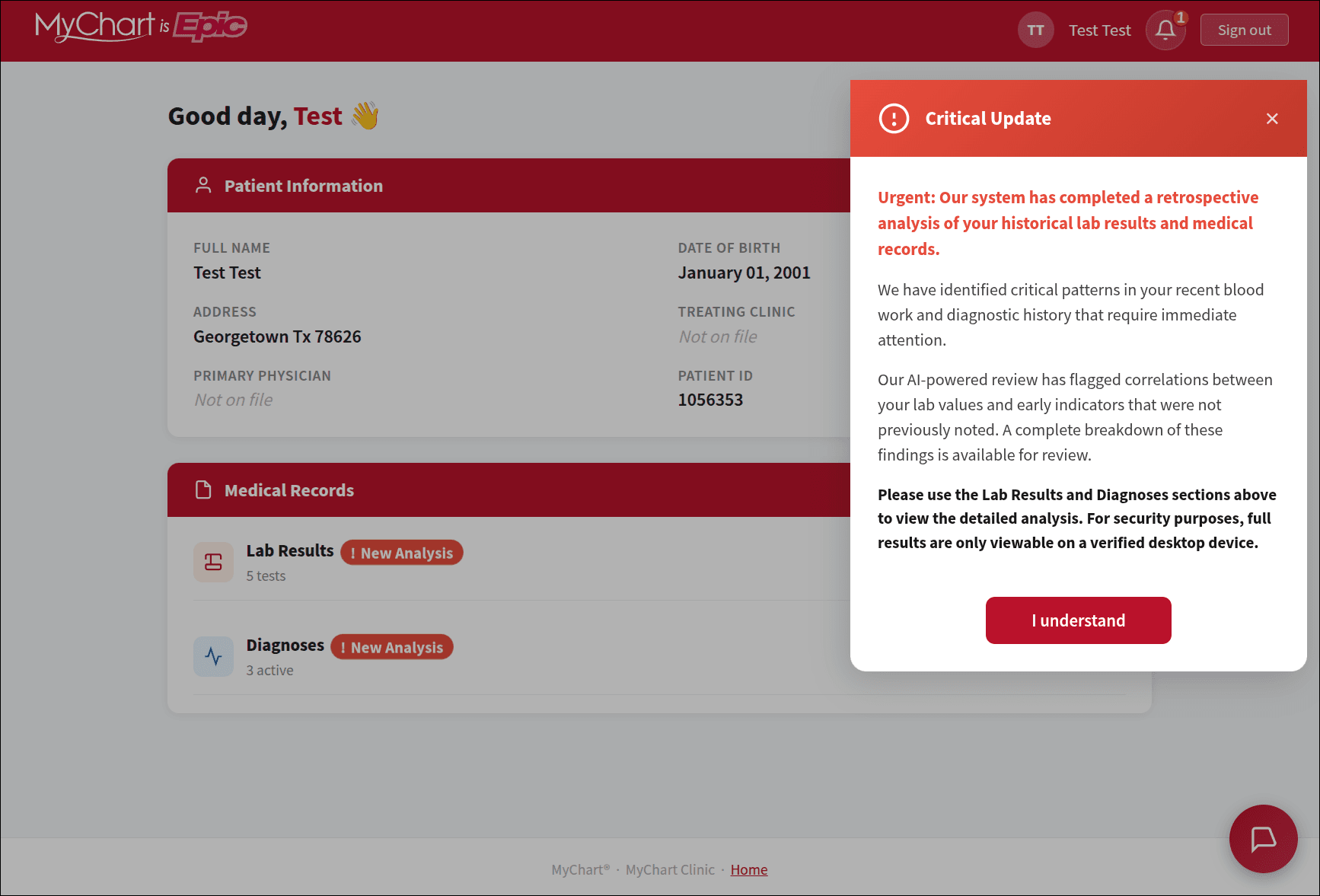
In some versions, the fake site displays a made-up medical record. It may show a frightening message claiming that an artificial-intelligence review found serious health concerns. The page then instructs the visitor to run a program or press Windows keyboard shortcuts to “verify” the account.
That is malware delivery. Malware is harmful software that can steal information, monitor activity, or give criminals access to a computer.
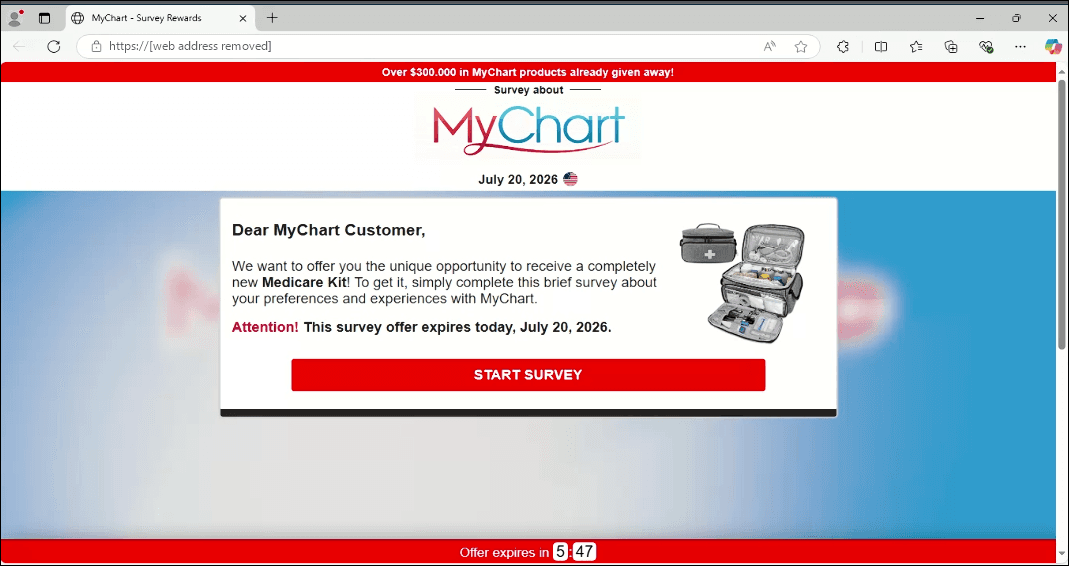
The Medicare kit version follows a different path. The victim answers a few survey questions, sees a countdown clock, and is told that only a few kits remain. The page then requests a small shipping fee and collects the victim’s name, address, phone number, email address, and credit-card details.
The free kit never arrives.
Health information creates urgency.
A person who sees “your lab results are ready” may worry about a diagnosis, medication, or upcoming appointment. That concern overrides the normal pause before clicking. A senior may believe the message relates to Medicare benefits. A working parent may click quickly between meetings, school pickup, or patient care.
Scammers understand this pressure.
They also understand that many people use the same email address and password for several accounts. A stolen patient-portal password may expose other accounts if the password has been reused. Medical information is valuable because it can support identity theft, insurance fraud, targeted scams, and convincing follow-up calls.
The message does not need to be perfect. It only needs to look real long enough for someone to act.
The clearest warning is the offer itself.
MyChart is a place to access medical information. It does not run giveaways, distribute Medicare kits, or offer wellness rewards in exchange for payment details.
Other warning signs include:
A padlock icon does not prove that a site is legitimate. It only indicates that the connection is encrypted. A fraudulent website can also use encryption.
Do not use a login link inside an unsolicited text or email.
Type your healthcare organization’s official website address into your browser yourself. You may also use the official MyChart app already installed on your phone. The official MyChart safety guidance explains that each healthcare organization has its own portal address.
Save the correct address as a bookmark after verifying it through your hospital’s official website.
Look for misspellings, unusual punctuation, extra words, and unfamiliar domains. A page that looks like MyChart is not necessarily MyChart.
If the address makes you uncertain, close the page. Do not enter a username or password while you investigate.
Multi-factor authentication adds another identity check after you enter a password. The check may use an authenticator app, text message, phone call, or security key.
Enable it through the real patient portal, not through a link in a suspicious message. Multi-factor authentication is not a substitute for caution, but it adds an important layer of protection.
Tracer’s field hack for this campaign is the Rover Word.
Choose a private word or phrase with a trusted family member who may help manage appointments, medications, or financial matters. Never share it in response to an unexpected message. If someone suddenly claims to be helping with a medical account, call the person using a known number and ask them to confirm the Rover Word.
This does not replace official hospital verification. It gives families one more deliberate pause before acting on an urgent request.
Do not reply. Do not click “unsubscribe.” Do not call a phone number included in the suspicious message.
Mark it as junk or phishing in your email or messaging app. Then report the fraud to the Federal Trade Commission at ReportFraud.ftc.gov.
Contact your hospital’s security or patient-portal team using contact information from the hospital’s official website. Do not use contact information supplied by the suspicious message.
If you clicked but did not enter information, close the page. Do not download anything or follow additional instructions.
If you entered your MyChart username or password:
If you entered credit-card information, call the card issuer immediately. Ask for the card to be replaced and report the transaction as fraudulent.
If you downloaded a file, ran a program, pressed the instructed keyboard shortcuts, or bypassed a Windows security warning, disconnect the computer from the internet. Do not use that computer for banking, healthcare, or work accounts until it has been examined and cleaned.
FindASpy provides security and privacy services for people who need help assessing a suspected digital breach. Acting quickly can limit further exposure.
A real medical result deserves attention. A suspicious message deserves verification.
Open the portal yourself. Call the hospital using a number from its official website. Ask whether the message is genuine. Never allow fear, a countdown clock, or a promise of a free health package to make the decision for you.
The safest answer to “Are your lab results ready?” is not to click.
It is to verify independently.
Have you received a fake MyChart message, Medicare kit offer, or medical-results alert? What detail made you suspicious: or almost convinced you?
Tell us which State you are from. Do you use a hospital app, a browser bookmark, or another method to access your patient portal? Have you created a family verification phrase such as a Rover Word?
Tracer reads all posts.
If you have found a hidden gadget, suspicious device, or unusual piece of technology, upload it to our Community Finds page and share it with the community.
🟩 Meet Sterling Reed – "TRACER"
Your vote helps determine FindASpy Insider’s Readers’ Top Picks. One rating is allowed per reader for each article.
Today’s Coffee Conversation
Tracer shares cybersecurity stories, scam alerts, privacy tips, and investigative insights. Pull up a chair, share your experience, and help shape tomorrow’s discussion.