

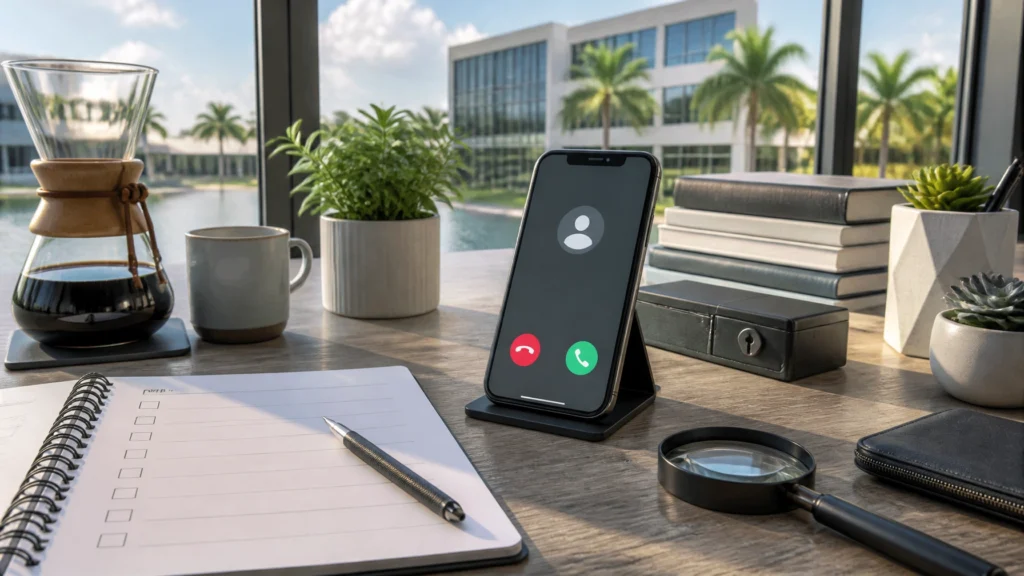
Tracer was halfway through his morning pour-over when the label maker at FindASpy headquarters began printing the word URGENT over and over again.
It covered the desk. It covered the coffee tin. One strip wrapped itself around Tracer’s notebook like a tiny paper boa constrictor.
“Good news,” he said, carefully removing it. “The label maker has detected a crisis.”
The crisis turned out to be a stuck button. But the lesson was useful: when something looks urgent, pause before reacting.
Usually, I’ll give you upcoming breaches and scams. But this week, I’m pulling a few personal hacks and social-engineering defenses out of my notebook — practical ways to create time, spot pressure, and protect yourself when a situation feels wrong.
Today’s field lesson is simple: you do not need to be a trained investigator to check your own facts.
You can become your own junior analyst by using free, public, legitimate resources to check an unfamiliar phone number, see whether your email appeared in a known breach, or examine warning signs around a suspicious online profile.
This is not about stalking, hacking, or digging into someone’s private life. It is about checking public clues connected to a call, message, email, or online contact that approached you.
Set that rule before you begin:
Only check information connected to a contact that reached out to you. If the situation involves stalking, threats, fraud, or unauthorized surveillance, stop and get professional help rather than escalating on your own.
Professionals often call this open-source intelligence, or OSINT.
That means gathering information from public sources. You are not bypassing a password. You are not breaking into an account. You are not accessing private records.
You are simply comparing public clues.
A number may have reports from other consumers. An email address may appear in a known breach. A profile photo may appear under several unrelated names. Those clues do not prove everything, but they may help you decide whether to pause, verify independently, block the contact, or report the incident.
Think of OSINT as a reference shelf, not a license to investigate everyone around you.
Start with a basic warning: caller ID is not proof of identity.
Scammers use a technique called spoofing, which means they make a different name or number appear on your phone. A call that looks local may come from somewhere else. A call that appears to be from your bank may not be from your bank.
Two public, crowdsourced phone-reporting sites are:
People use these sites to share reports about spam, robocalls, fake debt collection, impersonation scams, and other suspicious calls.
A clean report does not guarantee legitimacy. A number associated with scam reports may also belong to an innocent person whose number was spoofed.
Do not post your own phone number or someone else’s personal number on these forums. Keep the check limited to a number that contacted you.
The Federal Trade Commission explains that honest organizations generally give you time to think. A caller demanding immediate payment, personal information, gift cards, cryptocurrency, or a one-time code is creating pressure on purpose. Read the FTC’s phone scam guidance before acting.
A data breach happens when information is exposed from a company or service because of a security incident. Exposed information may include email addresses, usernames, phone numbers, or passwords.
A useful starting point is Have I Been Pwned.
The unusual word “pwned” is internet slang for compromised or exposed. If your email appears there, it means the address was included in a known breach or related exposure. It does not automatically mean that someone has entered your accounts.
Multi-factor authentication means an account requires more than one form of proof. That might be a password plus a code from an authenticator app, a security key, or another approved method.
Have I Been Pwned explains that its email search does not provide the passwords associated with an address. It also warns that not every breach is known or publicly available. A result showing no exposure is reassuring, but it is not a guarantee that your information has never been compromised.
If you believe your information has already been misused, use IdentityTheft.gov for an official recovery plan. You can also report scams and fraud at ReportFraud.ftc.gov.
Romance scammers and impersonators often reuse profile photos. A picture may belong to a real person, but the account using it may be fake.
A reverse image search is a basic public check. It compares an image with other publicly indexed images.
Use your browser or a search engine’s image-search feature to upload or paste the image URL of a photo someone sent you. Look for:
Do not contact the people whose photos may have been stolen. Do not use this method to search pictures of casual acquaintances, neighbors, coworkers, or people who have not contacted you.
You may also search the person’s claimed job title plus the word scammer, as the FTC recommends. For example, a claimed occupation combined with “scammer” may reveal reports from others.
The FTC’s romance scam guidance recommends stopping communication, talking with someone you trust, and reporting the account if the pattern involves emotional pressure and money requests.
Social media deserves extra caution. The FTC’s April 2026 alert on social media scams reported that romance scams accounted for nearly 60 percent of money lost to scams that started on social media in 2025. It recommends limiting who can see your posts and contacts, checking companies before buying, and avoiding investment advice from people met online.

Analysts have a whole map at OSINT Framework, but most readers only need a handful of direct links that feel a little magical without crossing any lines.
Here are seven defensive-only tools worth bookmarking.
This is the official global directory for domain registration. Paste in the address of a suspicious website and you may see when it was created, when it expires, and which registrar registered it.
When to use it: Use it when a website claims to be a bank, store, charity, delivery company, or service provider and you want to know whether the site is brand new.
Wow moment: A “bank” website created 6 days ago is not a bank.
Safety note: Registrant contact details are often privacy-protected. This is for checking a site that contacted you, never for investigating a person.
This is a free public library of old versions of websites. If a shop, charity, or company page suddenly looks different or disappears, you can look up earlier versions.
When to use it: Use it when a website changes suddenly, vanishes, or starts making claims that feel inconsistent with what you saw before.
Wow moment: Scammers often delete and rebuild pages. The archive keeps receipts.
Safety note: Use it for websites you are already considering, not for digging into private pages.
Paste a suspicious link before you click it and see whether dozens of security engines flag it as phishing or malware.
When to use it: Use it when a message, email, or post pushes you toward a link you do not recognize.
Wow moment: A single paste can warn you before your device ever loads the page.
Safety note: Never paste personal information, passwords, or account numbers — only the link itself. Do not click the destination afterward just because one scan looks clean.
Drag or upload a profile photo to see where else the same image appears.
When to use it: Use it when an online profile, seller, admirer, recruiter, or supposed professional sends you a photo that feels too polished or too familiar.
Wow moment: The handsome officer or loving sweetheart is actually a stock photo used under fifty different names.
Safety note: Use only for images sent by people who contacted you, and never contact the real person whose photo was stolen.
Paste in a shop or service website to see a trust score built from registration age, location, and consumer reports.
When to use it: Use it before buying from an unfamiliar store, booking with a strange service site, or responding to a website that appeared in a social media ad.
Wow moment: That “80 percent off” store was registered three weeks ago in a country with no customer-service number.
Safety note: A score is a clue, not a verdict. Verify through official channels before buying.
This is another link checker that scans a web address across multiple security engines and shows red flags at a glance.
When to use it: Use it when a shortened or unfamiliar web address lands in your inbox, text messages, or direct messages.
Wow moment: A short, innocent-looking link expands into a history of abuse reports.
Safety note: Treat results as guidance. When in doubt, do not click.
This is the breach check covered in Category Two. It lets you search your own email address to see whether it appeared in a known data breach.
When to use it: Use it when you hear about a company breach, receive a reset warning, or want a quick check on your own exposure.
Safety note: Search only your own addresses and never enter a password.
Keep the full OSINT Framework in your bookmarks as a reference shelf for the curious. Browse categories to understand what is public and how much information exists in plain sight, but you do not need to open every link.
If a listed resource involves technical commands, scraping, password testing, or private records, skip it.
Use official resources when something crosses the line from suspicious to harmful:
Use ReportFraud.ftc.gov to report scams and fraud to the Federal Trade Commission. Use IdentityTheft.gov to create a personal recovery plan if your identity information has been misused. Use DoNotCall.gov to report unwanted telemarketing calls.
Reporting helps investigators identify patterns and may protect other people in your community.
Keep a simple incident log with the date, time, phone number, sender address, screenshots, voicemail, and exact request. Do not forward suspicious messages to friends as a warning without removing personal information. Do not publicly post your findings.
These resources are not for:
None of these tools proves anything by itself. A caller may spoof a number. A crowdsourced report may be wrong. A reverse image search may miss a stolen photo. OSINT results require care and context.
If you suspect stalking, fraud, account takeover, or unauthorized surveillance, preserve evidence and contact qualified professionals or law enforcement where appropriate.
Before trusting an unfamiliar contact, compare three separate things:
Never use the number, link, or contact information provided by the suspicious caller or message. Call your bank using the number on your card. Visit a company’s website by typing the address yourself. Create time before you create trust.
Protection starts with calm, free, legitimate checks. The goal is not to become a hacker. The goal is to become a better judge of what deserves your trust.
Becoming your own junior analyst is a great first step, but no one has to do this alone.
Some situations deserve a professional with the right tools, training, and legal boundaries. If you would rather have experienced help checking a suspicious contact, website, breach concern, or digital warning sign, the FindASpy team can do those checks for you through our cyber consultation service.
If you want that kind of backup, you can also reach Patricia at 321-342-0040 or (352) 241-7492.
Choose one small action today:
Tomorrow, Tracer pulls another field hack from the notebook: how to create time when an unexpected request is designed to make you react before you think.
Which State are you reading from?
What surprised you most: how easily a phone number can be spoofed, how much information appears in a breach, or how often profile photos are reused?
Have you ever checked a suspicious call before responding? What did you find? And what is one privacy setting you plan to change this week?
Tracer reads all posts.
If you have your own hidden gadget or security discovery to share, upload it through Community Finds. Please share only devices or evidence you are authorized to disclose, and remove names, addresses, account numbers, faces, and other personal information before submitting.
Tracer’s Pick: If a situation feels too personal, persistent, or threatening for a do-it-yourself check, consider speaking with a qualified professional through FindASpy services. You can also review all products, learn more about our team, or contact Patricia at 321-342-0040 or (352) 241-7492.
Disclaimer: The stories Tracer shares are based on real scams and security threats actively targeting our community. While the names and specific scenarios are crafted to protect identities, these tactics are a matter of when, not if. Tracer brings these to you fresh — so you see it here before it shows up at your door.
Your vote helps determine FindASpy Insider’s Readers’ Top Picks. One rating is allowed per reader for each article.
Today’s Coffee Conversation
Tracer shares cybersecurity stories, scam alerts, privacy tips, and investigative insights. Pull up a chair, share your experience, and help shape tomorrow’s discussion.