

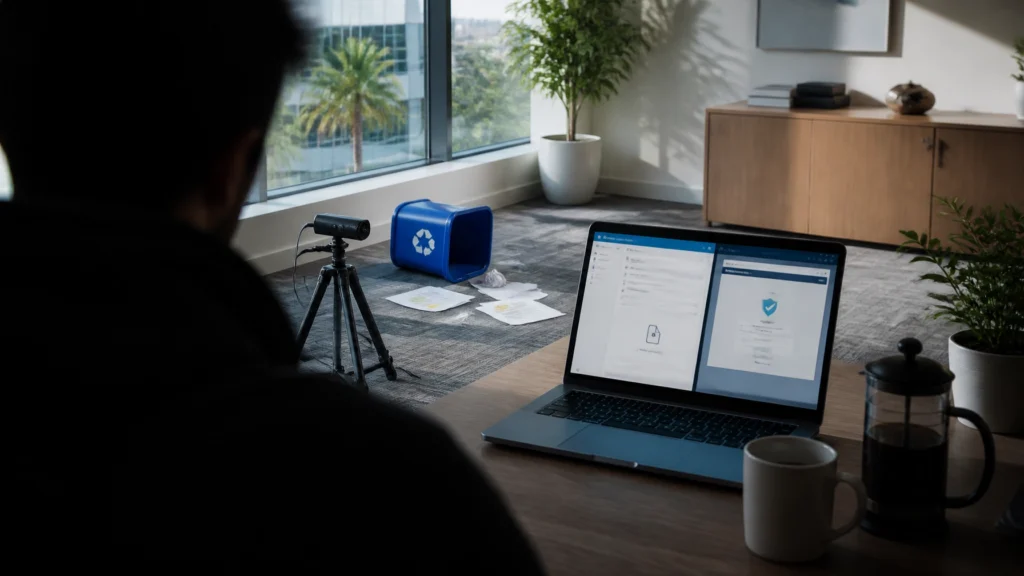
At FindASpy headquarters, Tracer’s French press was still steeping when he noticed the recycling bin had been knocked over again.
Not tipped. Not nudged.
The bin sat three feet from the wall, surrounded by shredded envelopes, empty shipping labels, and one lonely paper clip that looked like it had survived a small tornado.
“It happened overnight,” Tracer said.
He placed a discreet camera on a shelf, aimed it at the bin, and marked the floor with a strip of painter’s tape. Then he poured his coffee, opened his laptop, and checked the morning email.
The first message looked routine:
Subject: Past Due Invoice : Payment Copy Attached
The sender appeared to belong to a familiar business. The message included a short confidentiality notice and an attachment named like an invoice.
Tracer opened the attachment.
A CAPTCHA appeared.
He completed the supposed security check. The page immediately redirected to a Microsoft-style login screen.
That was the moment the recycling-bin mystery became less interesting than the email.
The attachment was not a picture of an invoice.
It was a computer program wearing a picture’s costume.
Between February 23 and February 25, 2026, Microsoft reported a campaign that delivered more than 1.2 million malicious emails to users at more than 53,000 organizations across 23 countries.
The messages used familiar business themes:
Each email carried an SVG attachment. The filename matched the story. One looked like an invoice. Another looked like a 401(k) document. Another appeared to be an audio message notification.
The attachment was not harmless.
Microsoft reported that opening one of these SVG files launched a browser-based security check. After the fake CAPTCHA, the victim saw a fraudulent sign-in page designed to collect account credentials.
You can review Microsoft’s technical report on the Q1 2026 email threat landscape.
SVG stands for Scalable Vector Graphics. It is a file format used to display graphics on websites, in documents, and in some design applications.
A standard photograph is usually a collection of visual data. An SVG file is different. It is built from XML instructions that tell a browser how to draw an image. The format also supports active web behavior, including embedded scripting and redirects.
That difference matters.
When criminals attach a weaponized SVG to an email, the file displays as an image while carrying instructions that send the browser somewhere else. The victim sees a familiar sequence:
The CAPTCHA is a distraction. It creates the appearance of protection while moving the victim toward the real objective: credential theft.
The fake login screen does not protect the account. It records what the victim types.
The file extension is the clue. .svg is not a photo.

Phishing succeeds because the message fits into a real person’s routine.
A retiree is already accustomed to receiving retirement-plan notices, account statements, medical bills, insurance updates, and voicemail alerts. A working parent is already managing invoices, payroll documents, school messages, utility notices, and online accounts.
The criminal does not need to invent an unusual story. The criminal sends a familiar one at the right time.
Several details make this campaign especially convincing.
Many people associate image files with harmless content. If a file appears to show an invoice or document preview, the recipient opens it without thinking about what is behind the image.
SVG files exploit that assumption.
“Past due.” “Payment required.” “Important update.” “New voicemail.”
These phrases create pressure before the recipient examines the sender, attachment type, or destination address.
A security check creates a false sense of legitimacy. People are trained to believe that a CAPTCHA proves a website is safe.
It does not.
A CAPTCHA proves that a page is asking for an interaction. It does not prove that the page belongs to your bank, employer, retirement provider, email service, or software company.
Families expect invoices. Employees expect payroll notices. Retirees expect account updates. Business owners expect payment requests.
That expectation lowers suspicion.
Tracer did not recognize the attack because the page looked poorly designed. The fake login page was polished enough to appear credible.
He recognized the sequence.
An unexpected invoice attachment opened a browser. The browser presented a CAPTCHA before showing the actual document. The CAPTCHA redirected to a login page. The email demanded attention but provided no independently verified reason for the attachment.
That combination is the warning.
Stop when you see any of these signs:
A legitimate company does not need you to authenticate through a surprise attachment before you view a routine invoice.
If you were not expecting an invoice, voicemail file, retirement update, or payroll notice, do not open it from the email.
Contact the organization using a phone number, website, or customer portal you already trust. Do not use the phone number or link inside the suspicious message.
For workplace accounts, forward the email to your IT or security team according to company policy.
Turn on file-extension visibility in your operating system. Do not rely on the icon or the filename alone.
A file named invoice.svg is not a normal photograph. Treat it as active content.
Also watch for misleading names such as:
Invoice.pdf.svgVoicemail.mp3.svgRetirementUpdate.docx.svgThe final extension controls how the file is interpreted. If the last characters are .svg, stop and verify.
If an attachment opens a CAPTCHA and then presents a sign-in page, close the browser.
Do not enter your email password. Do not enter your Microsoft, Google, banking, payroll, retirement, or business credentials.
Open a new browser window and type the organization’s known website yourself. Sign in only through the verified site or official application.
If you already entered credentials, change the password from a trusted device, sign out other sessions, activate strong multifactor authentication, and notify the organization’s security or fraud department immediately.
Hover over links without clicking. Inspect the destination address. Look for misspellings, strange subdomains, unrelated domains, and shortened links.
Then verify the message through a separate channel.
For an invoice, call the vendor using a number from a previous statement or official website. For a retirement notice, open your established account portal manually. For a voicemail alert, check your phone system directly.
Individuals should keep their operating system, browser, email application, and security software updated.
Organizations should configure email security tools to inspect, quarantine, sanitize, or block suspicious SVG attachments. Security teams should also monitor redirect chains that begin with an email attachment and end at a login page.
Report suspicious messages instead of simply deleting them. Reporting helps providers and security teams identify related campaigns.

Do not panic. Act quickly and preserve information.
If you suspect a larger breach, FindASpy provides cybersecurity and spyware-removal services, including digital security consultations and unauthorized-access investigations. Patricia is available at 321-342-0040.
You can also review the team’s approach on the FindASpy About Us page.
The right response starts with awareness. It continues with verification, secure account practices, updated software, and a trusted plan for responding to suspicious activity.
FindASpy also offers privacy and security equipment through the all-products catalog. Products are not a substitute for careful verification, but the right equipment and professional guidance support a broader protection strategy.
A safe digital routine is simple:
Stop. Inspect. Verify. Then act.
That sequence gives you time to break the criminal’s script.
Tracer’s Pick is our occasional way of highlighting a useful privacy or security product for the FindASpy community. Keep an eye on upcoming announcements for a possible giveaway or featured protection tool.
No purchase is necessary to stay informed. The most valuable protection step is still learning to recognize the trap before credentials leave your hands.
This article is provided for general educational and security-awareness purposes. It does not replace professional legal, cybersecurity, financial, or incident-response advice. Email threats change quickly, and a file that appears safe is not automatically safe. Do not open suspicious attachments or test them on a personal device. If you believe an account or device is compromised, contact the relevant provider and a qualified professional.
Have you received an invoice, payroll notice, retirement update, or voicemail alert that felt unusual? Which State are you writing from?
Have you ever checked a file extension before opening an attachment? Does your family know that a CAPTCHA proves interaction, not legitimacy? What is the first account you would secure after entering a password on a suspicious page?
Tracer reads all posts, and your experience could help someone else in our community recognize the warning sooner.
If you have found a hidden camera, tracker, recording device, or other suspicious gadget, share it with the community by clicking here.
An SVG attachment is not automatically a harmless image. When an unexpected .svg file opens a CAPTCHA and then demands a login, stop. The image is the disguise. The login page is the target.
Before your next cup of coffee, check your email attachment settings and confirm that file extensions are visible on your computer. Then teach one trusted person to pause before opening an unexpected attachment.
The next message does not need an attachment at all. It only needs a familiar name, a convincing request, and access to the right conversation.
Sterling Reed, known to FindASpy readers as “Tracer,” is a cybersecurity engineer, digital investigator, consumer cybersecurity contributor, and founder of FindASpy.com in Clermont, Florida.
Learn more about Sterling Reed, his professional background, credentials, and published cybersecurity work →
Your vote helps determine FindASpy Insider’s Readers’ Top Picks. One rating is allowed per reader for each article.
Today’s Coffee Conversation
Tracer shares cybersecurity stories, scam alerts, privacy tips, and investigative insights. Pull up a chair, share your experience, and help shape tomorrow’s discussion.